

Content per schedule
Up to 4 tiles per schedule. In a schedule, click Add content block once for each tile. The count shows how many you’ve added, for example Add content block (2/4). Once you’ve added four, Block Hero shows Content limit reached (4/4).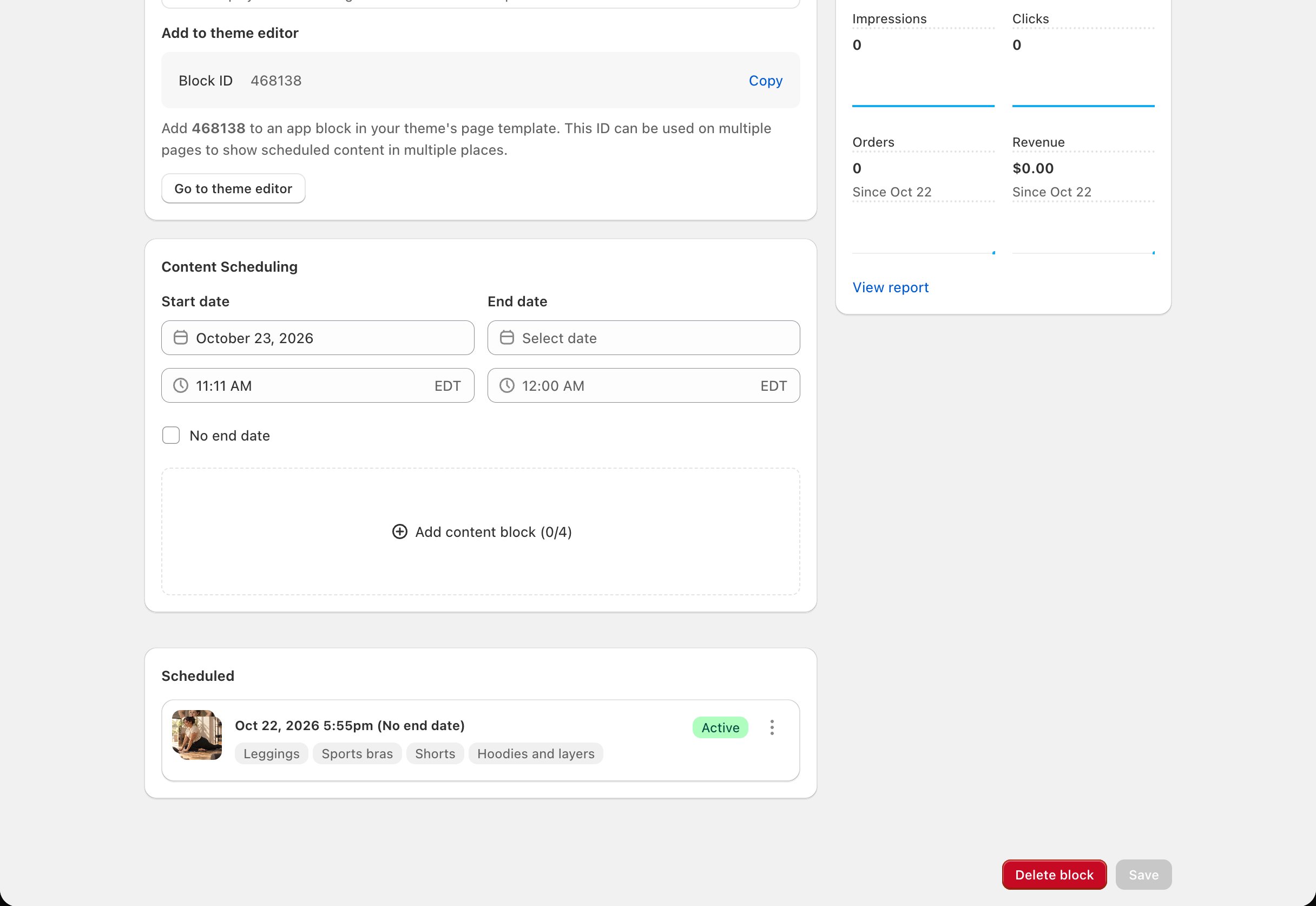
What you schedule in Block Hero
Each tile is a content block. The Add content block window has these fields. Each tile needs a Content Name and an Image.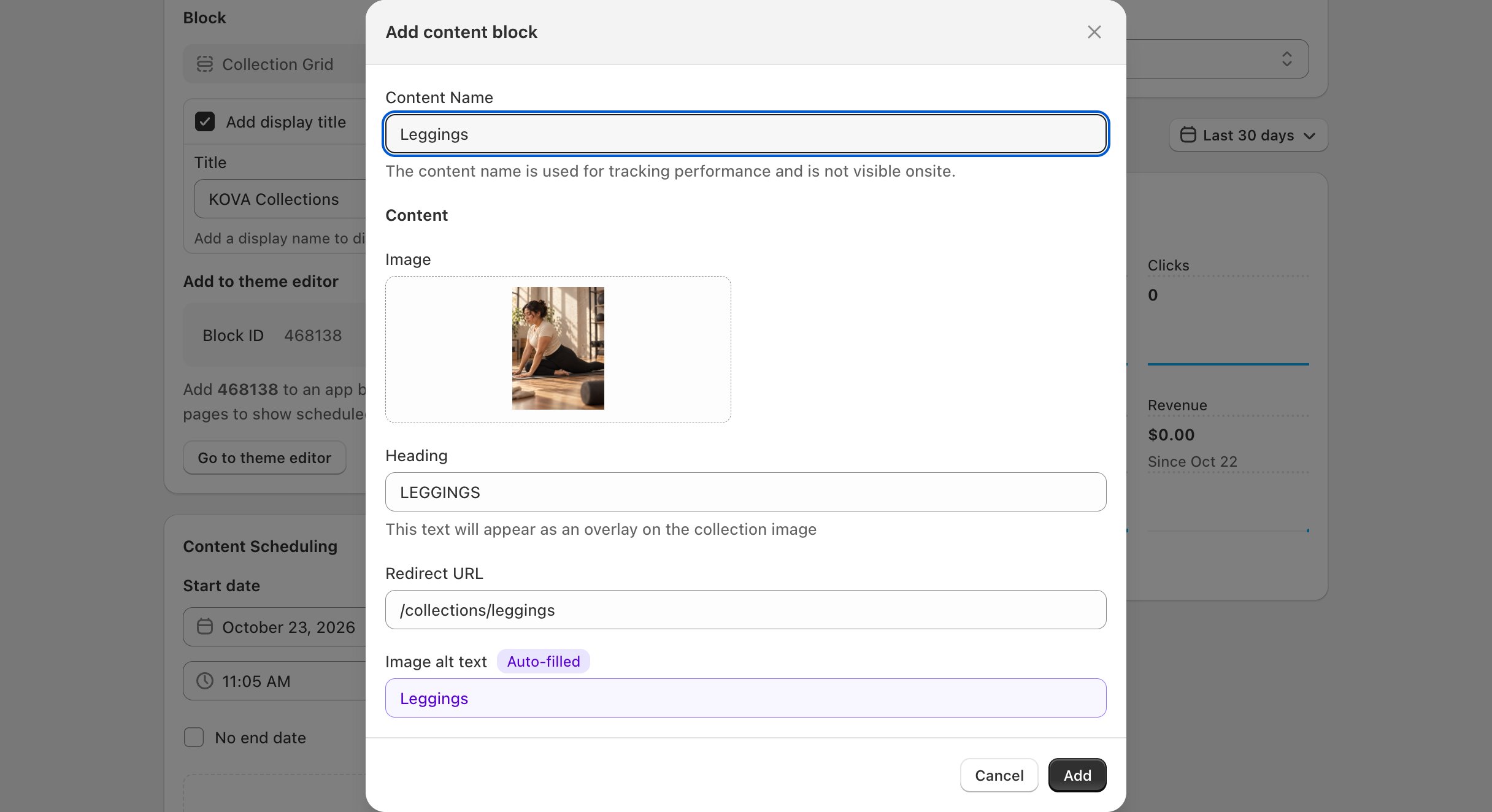
What you set in the theme editor
Nothing besides the Block ID. The block follows your theme’s styling.Related
Add a block to your theme
Copy the Block ID and add the block in the theme editor.
Collection List
As many cards as you schedule.